
WARDOGS Server Problems: Can't Connect or Join?
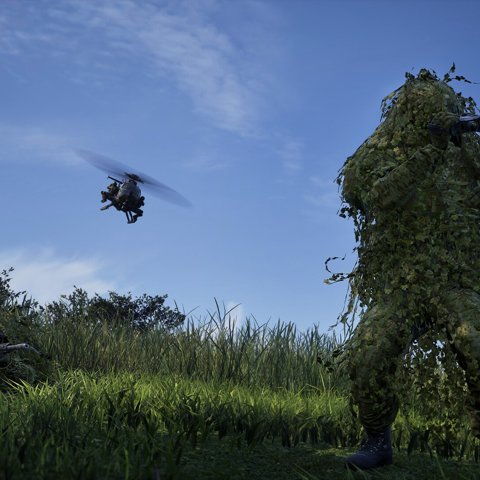
Most WARDOGS connection problems since the 10 Sep 2026 launch fall into two buckets: the servers are struggling under load, or something on your side is blocking the connection. This guide helps you tell them apart and says what is safe to try.
Step 1 — is it the servers or you?
Check the server status page and the official WARDOGS channels first. At launch, capacity limits caused long queues and "failed to authenticate" screens for everyone — that is not something reinstalling fixes.
Rule of thumbIf friends are in-match while you cannot connect, it is almost certainly local. If nobody can get in, it is the servers — wait, and follow official updates.
If you cannot connect at all
- Restart Steam fully (quit from the system tray, not just the window) and relaunch WARDOGS.
- Verify game files in Steam so you are not on a stale build after the day-one hotfix.
- Restart your router and disconnect any VPN — a fresh connection often clears timeouts.
- Check Easy Anti-Cheat is not blocked by antivirus; relaunching from Steam rather than a desktop shortcut helps.
If you are kicked mid-match
At launch, BULKHEAD restarted the servers several times, logging players out and returning them to a queue. A mid-match kick can simply be that restart. Check the server status page before assuming your setup broke.
Authentication and access-denied screens
A screen reading "Authentication with the online services has failed" was reported widely during launch-day overload and is a server-side fault, not something you can fix locally — waiting or rejoining when the queue moves is usually all there is to it. Report the pattern on Steam discussions if it persists.
What NOT to do
- Don't reinstall the game for a server-side problem — it rarely helps and loses nothing that matters.
- Don't delete your settings or anti-cheat folder before checking that the servers are actually down for everyone.
- Don't assume a ban — launch-day false bans were caused by a FirstLook bug BULKHEAD acknowledged and announced a fix for.
⚠ VerificationSymptom-and-status guidance reflects the launch window. Every fix labelled here is a safe, reversible check — not a confirmed developer fix. Exact error codes live in the error-code directory.
FAQ
Why can't I connect to WARDOGS servers?
At launch the servers were at capacity under queue; on your side, a stale build, a router timeout or Easy Anti-Cheat blocking can also stop a connection. Work through the safe checks above.
What does 'failed to authenticate with online services' mean?
It was widely reported during launch-day overload and points at the authentication servers, not your machine. Wait out the queue and confirm on official channels if it continues.
Should I reinstall WARDOGS?
No — for connection issues, verify files and restart first. Reinstalling does not fix a full server.
Related